|
Group Profile
Introduction
You should create several group profiles based on manager portfolio or department, so later on you could assigned users into group profile or companies into group profile.
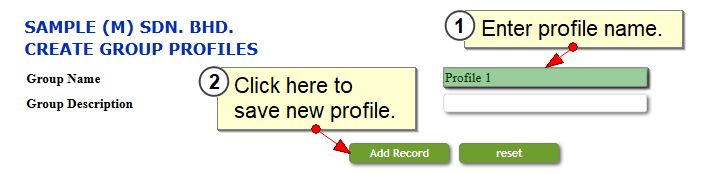
Create new group profiles
1.Go to menu admin>group profile and job assignment>group profile.
2.Enter profile name and click Add Record to save new profiles.
Edit group profiles
1.Go to menu admin>group profile and job assignment>group profile.
2.Scroll to section Edit, Delete, and View Group Profiles section.
3.Click on edit button.

4.Edit the group profile name, then click Edit Record to save changes.

|