|
Export from accounting package
There are various type of accounting software in the market, but all the accounting software should be able to export their data in excel readable format, CSV file or excel file.
Below are the steps on how to extract General Ledger from Autocount accounting package.
Step 1
View Ledger Report
.png)
Step 2
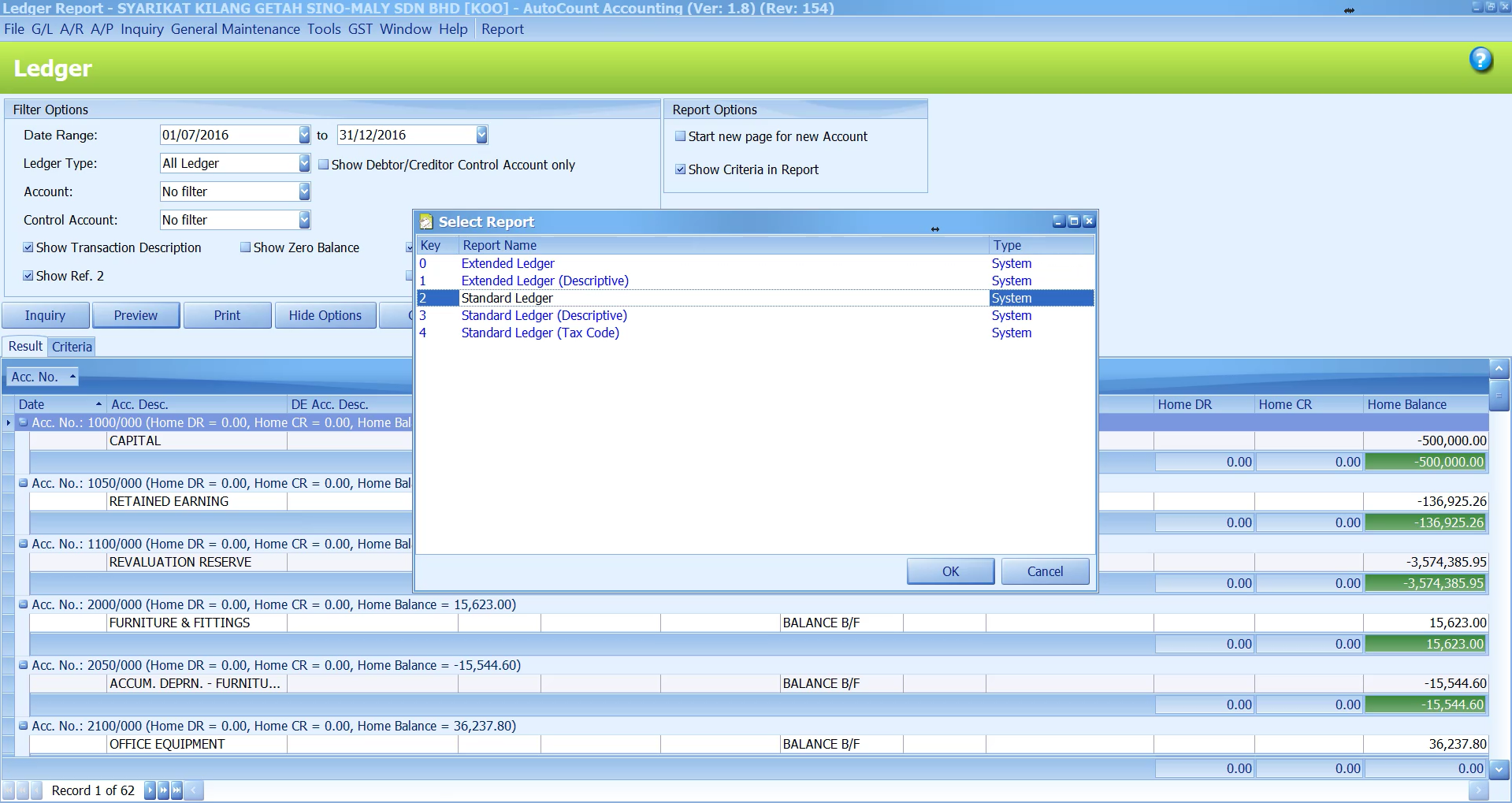
Select date range of the general ledger, click on "inquiry" and preview ledger and select standard ledger format
Step 3
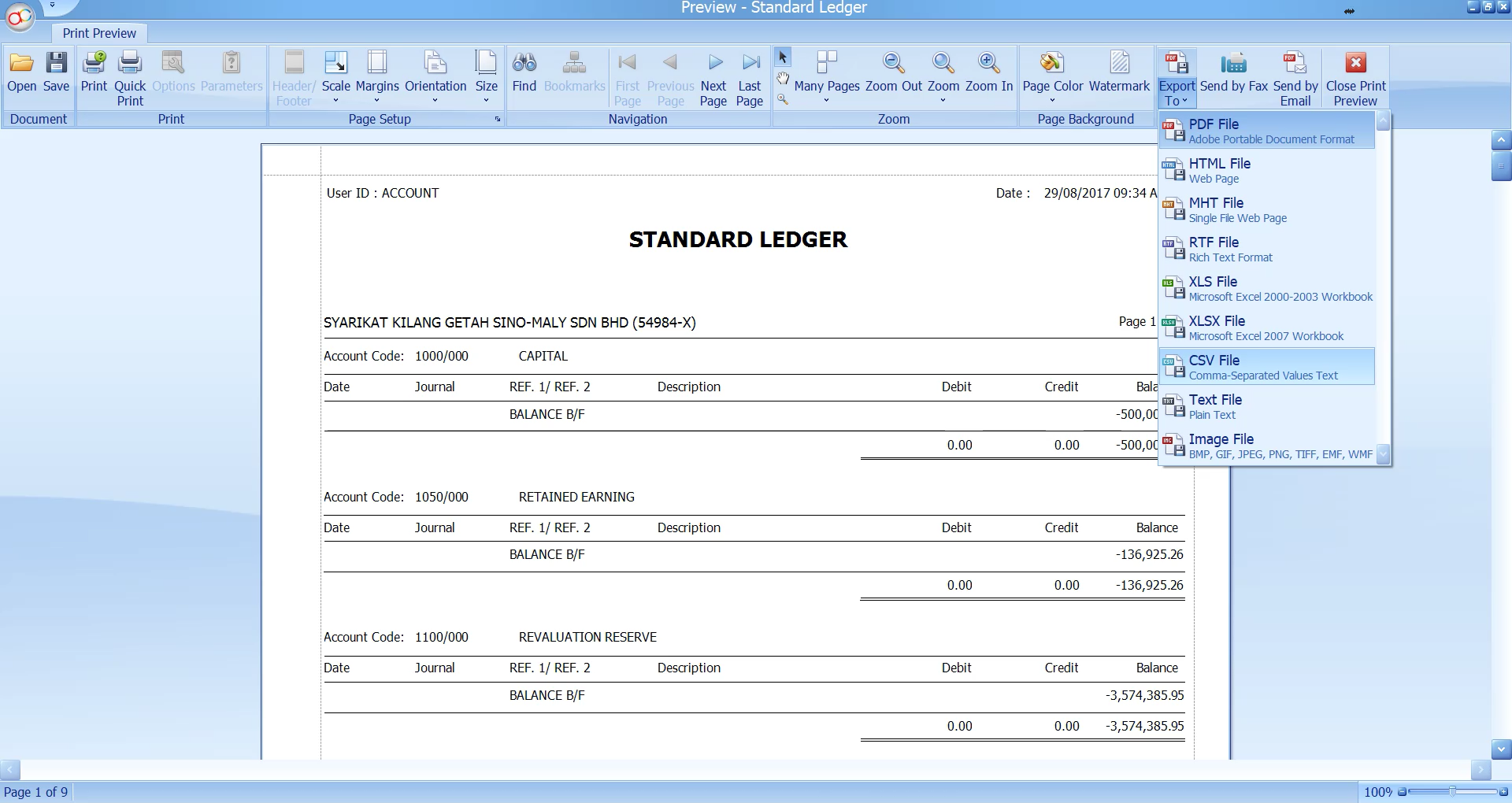
Click on Export to and select CSV files
Step 4
Open the CSV files
.png)
|